Permissions required: SpyderFlow Administrator | Manager Role
Log into SpyderFlow and go to Main Menu –> Account Admin
- Select Users (for Subscriber Roles) or External Users
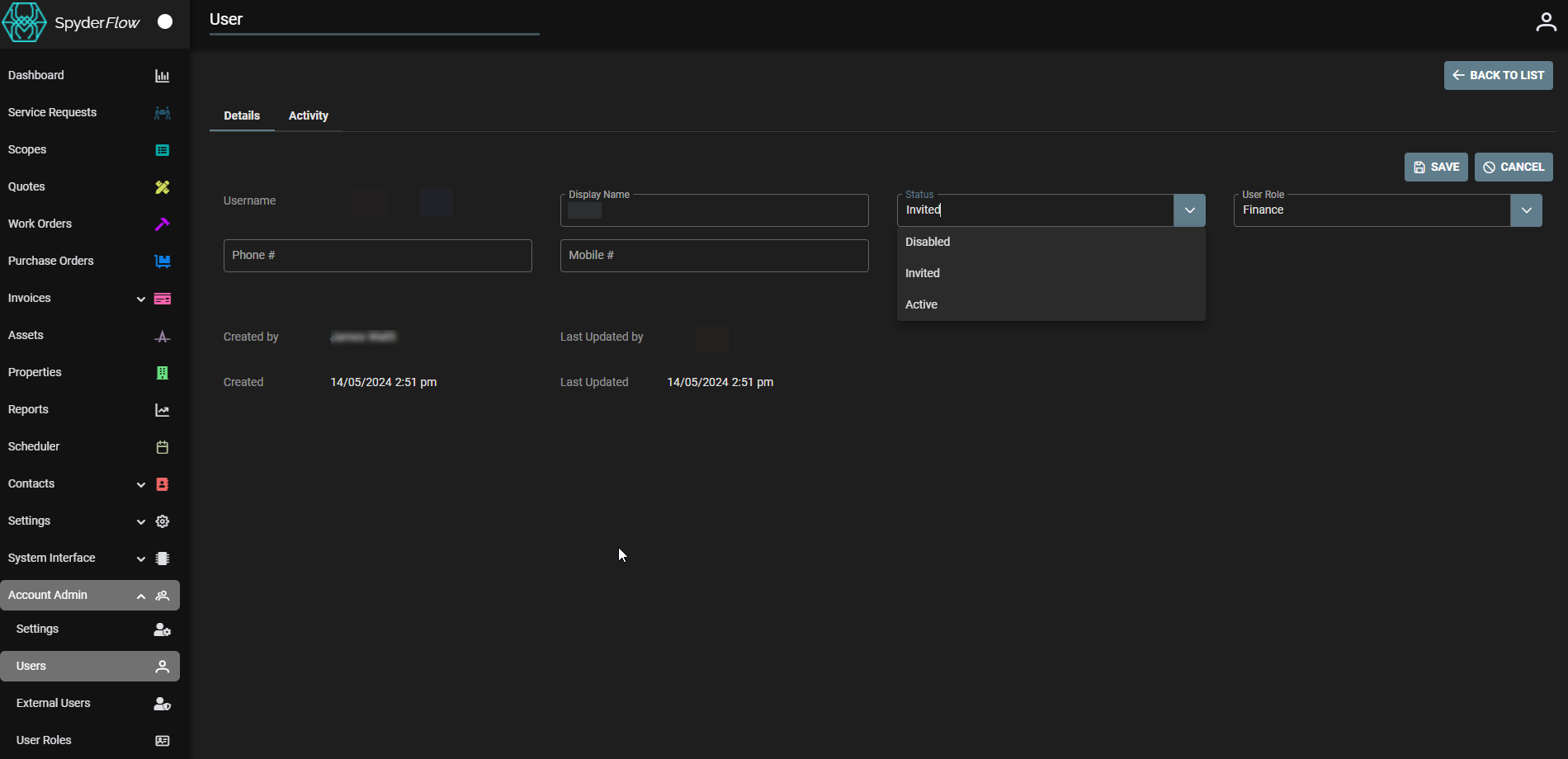
- List of Users –> select user and check Status
Check User Status: Invited, Active or Disabled
- This is the same for Subscriber User Roles and External Users.
- Once new user is invited by email the User List will show Status as Invited
- When new user accepts email and sets password the status in User list will change to Active.
- If a user leaves your company your Administrator can change to Disabled. User will no longer be able to sign into SpyderFlow.
Related Links
Subscriber Role | Invite a New User
External Users | Invitation to your SpyderFlow