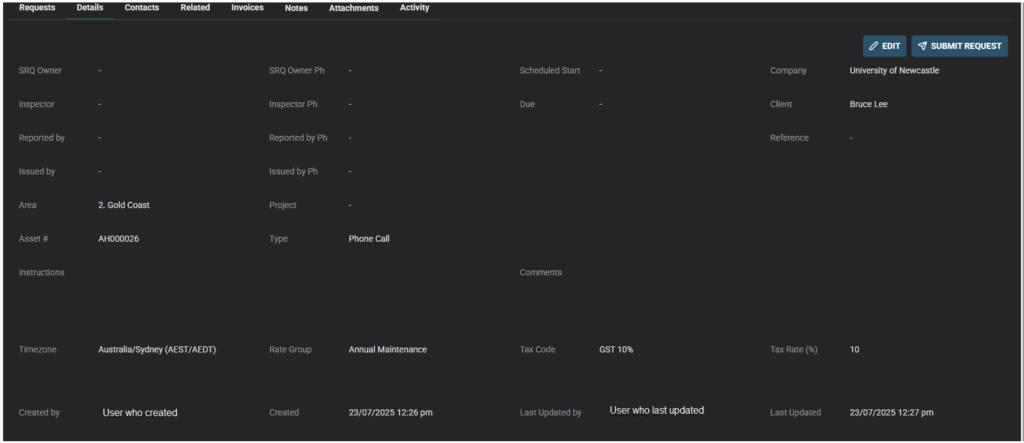
Once Service Request is created the Details tab is where you can View, Edit and Submit Request.
Click to Edit – Edit fields as required. Some fields are type in boxed areas, others select from dropdowns
Editable fields include:
- Contact
- Contact Ph
- Status
- SRQ Owner
- SRQ Owner Ph
- Inspector
- Inspector Ph
- Reported by
- Reported by Ph
- Issued by
- Area
- Project
- Type
- Scheduled Start
- Due
- Estimated Client Cost $ (incl tax)
- Estimated Sell $ (incl tax)
- Reference
- Instructions
- Comments
- Rate Group
- Tax Code
Cannot edit:
- Company
- Client
- Asset #
- Timezone
- Created by
- Created (date/time)
- Last updated by (user who last updated)
- Last updated (date/time)
Save when complete.
After edits are complete –> Submit Request – as required to your business process