What are Contractor Workers?
Contractor workers are details for the workers that belong to contractors in SpyderFlow.
- These Contractor Workers are added to SpyderFlow by the Contractor as their employee and set filters for what the worker can access.
Contractor User is linked to Contractor Worker – linking is done by the System Administrator
- For every contractor user in the system there needs to be an associated worker. Similar to internal users are linked to an employee, contractor users are linked to a worker (contractor worker).
Contractor Workers Overview
- Must be linked to the Contractor.
- No communications tab (cannot directly assign PO to workers)
- No security tab, though contractor users must be linked to a worker.
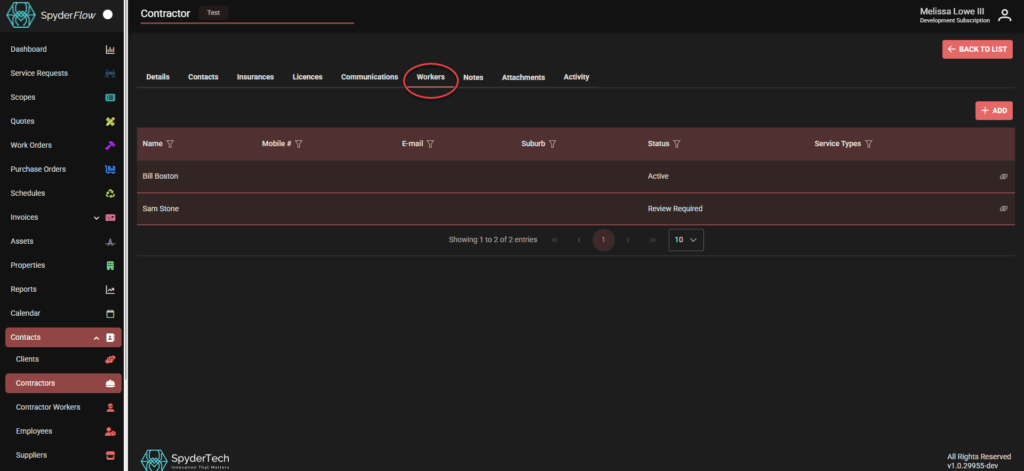
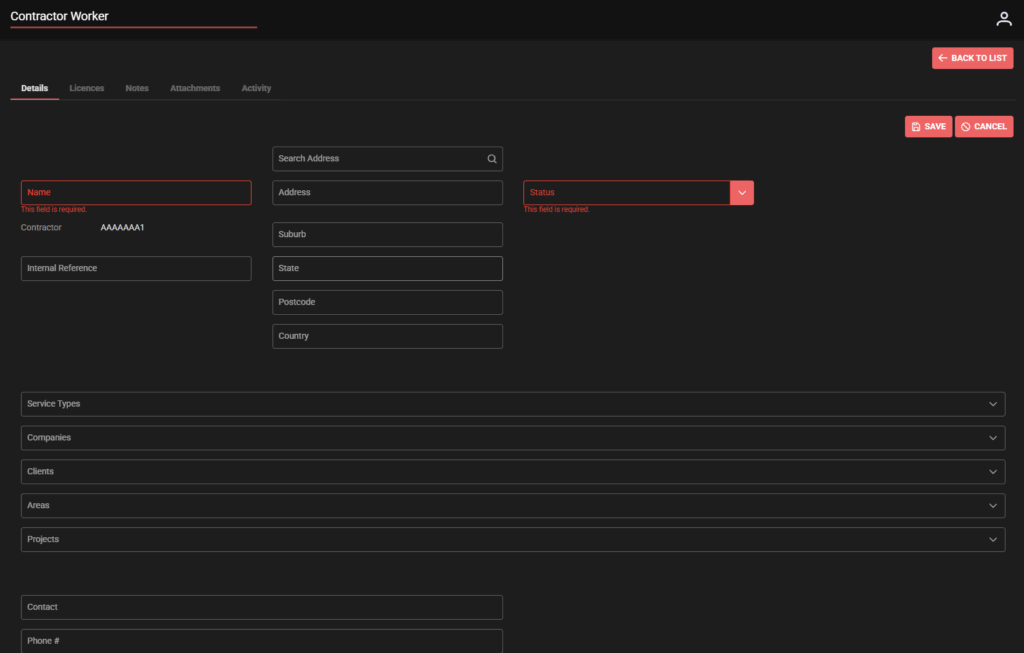
- Select worker or Create new worker direct from Contractor–> click on the Workers tab and select existing worker or +Create New.
- Also Select or Create from Contractor Workers –> (Main Menu –> Contacts –> Contractor Workers).
- All contractor users must be linked to a worker, but workers do not need to be linked to users.
Licences and Insurances
- Can be tagged as required or optional
- Can be associated with work/service types – if required, then it will only be required for contractors that are able to do at least one of those work/service types
- For required insurance/licences, then the contractor, employee, workers cannot be made active unless they have those insurance/licences
- System can warn or block work if there are expired licences.