List of Employees Page
- The default opening page of Employees
- This has all listed Employees for your SpyderFlow.
- As added the employees form a list and can be filtered, searched and sorted.
- Can be customised for view and export to spreadsheets.
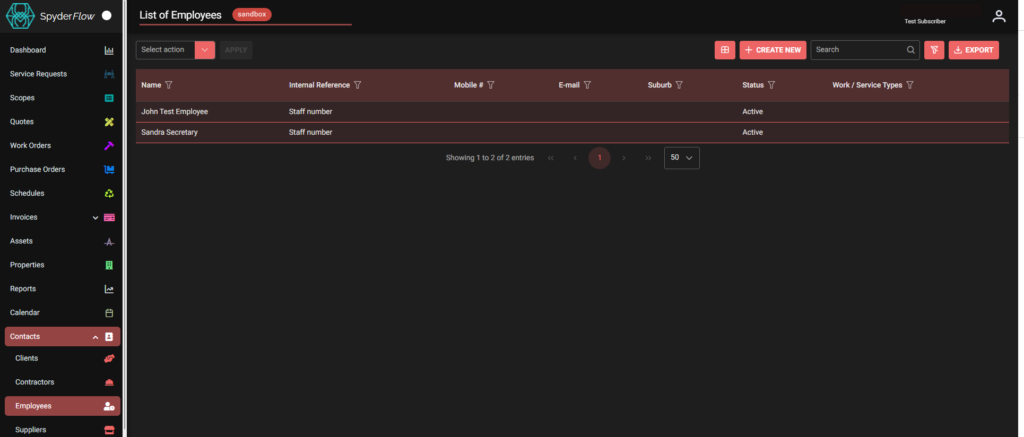
Actions and buttons are along the top section of the List of Employees page (like other ‘List of’ pages in SpyderFlow). See below for further explanation.
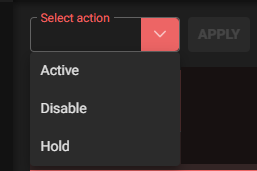
Select Action
This is the ‘Bulk Action’ dropdown.
- Click to select, change multiple listed clients to activate, disable or hold.
- Click Apply and follow prompts.
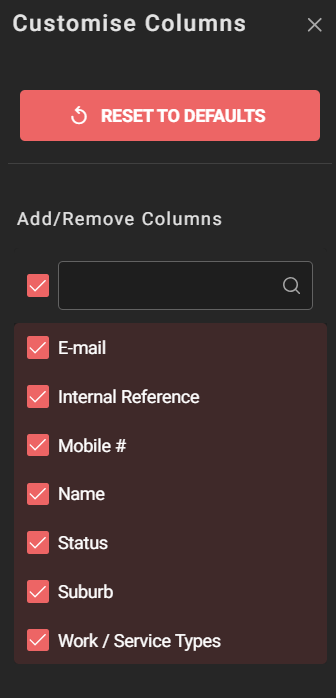
Select List Columns
- Click Select List Columns button
- Opens into –> Customise Columns page (Add/Remove) – Tick or untick to select column choices.

Search
- Type in Search area keywords, alphabetical or numerical characters, partial phrases or words.

Clear Filters, Sort, Search
Clear any filters, sort or search criteria.

Export
Export employee information to spreadsheet format. This is downloaded to your device.