Managing Multiple User Groups
A user can belong to multiple user groups, and their access is determined by a combination of these groups.
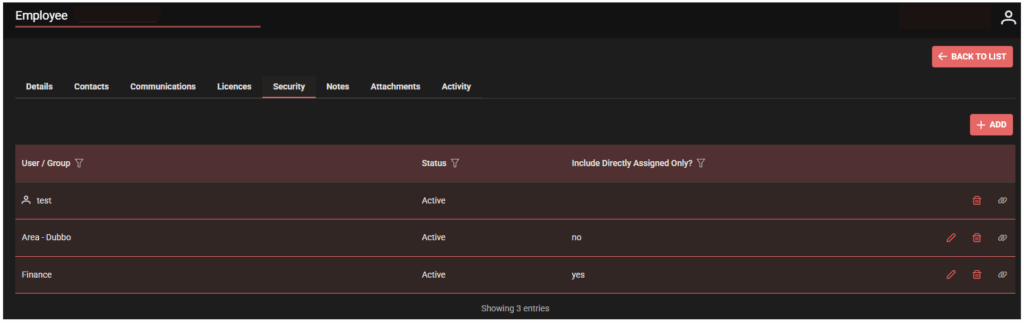
For example, if a user belongs to:
- Area – Dubbo (which grants access to all records linked to Dubbo)
- Finance (which grants access to finance records)
They will see all Dubbo records, but only finance records that are directly assigned to them.
It is important to carefully design user groups, as each additional group further restricts access, ensuring that users only see the specific data they need.
Note…..
It is important to remember that RBAC controls provide access based on job roles, while RLS restricts access to specific records. By integrating RBAC and RLS, SpyderFlow delivers a security framework that supports organisations in managing access to asset and data. This approach not only protects sensitive information but also enhances operational efficiency by ensuring that users have the right level of access to perform their roles effectively.
Related Links
User Account Administration | Record-Level Security (RLS)
User Account Administration | Role-Based Access Control (RBAC)
Employees | WEB | Set Up User Groups