This section explains Fields and Field Options in association to Assets, Service Requests, Work Orders.
- Fields and Field Options are used throughout SpyderFlow (not limited to the examples shown).
- Refer to Main Menu > Settings > Field Options > List of Field Options.
What Are Fields?
A Field is a data entry input dropdown that users use to select the information that they need to enter or update into the system.
Examples:
- Status
- Property Type
- Asset Category
- Priority
- Location
Fields Have Multiple Roles
A single Field can behave differently depending on the user’s role or what part of the system they are working in.
A Field may:
- Be visible depending on the role
- Be required or optional depending on the role
- Display different options depending on the Asset or property Type of the Asset or Property being viewed
What Are Field Options?
Field Options are the choices or select list items that appear inside a dropdown Field.
Default drop-down options for the Asset Type field are:
- General
- Vehicle
- Property
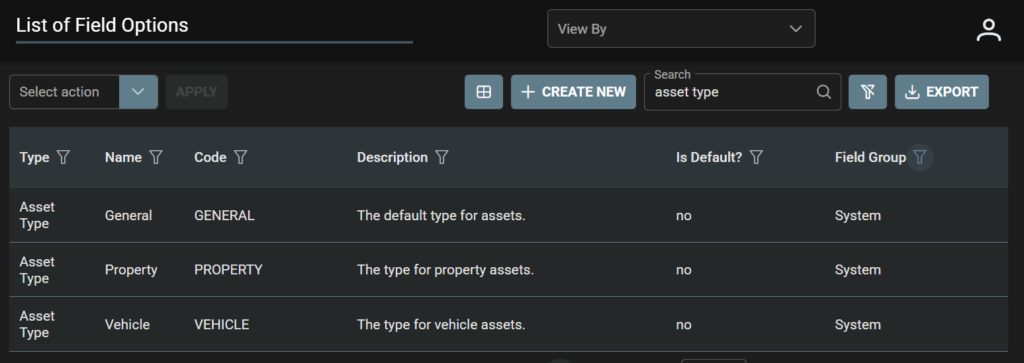
Additional Asset Type field options may be: (These would be determined by your business requirements)
- Air Conditioner
- Air Conditioners
- Air Fryer
- Bed
- Bedside Table
Example 1: Main Menu > Assets > List of Assets. Select +Create New.
- Asset Type and Status Fields with some options for the User to Select.


Example 2: Service Request > +Create New > Type field options

Example 3: Work Order > +Create New > Priority Type field and field options
