Location –> Main Menu –> Properties –>List of Properties
Features | List of Properties
Find properties information with sort, filter, search features. Delete a property from main list of properties with select and action drop box.
Create new properties, export information to spreadsheets. View by company or client.
The List of Properties page has many features and gives access to your information with ease of use.
See features below:
Sort and Filter
- Sort information by column headings (Ascending or Descending)
- Filter by matching keywords, partial letters, numbers. Rules can be added to remember filter preference.
Delete Properties
- Click Select Action –> Delete –> Select One or more properties –> Click Apply or Clear All
- Confirm Delete No/Yes
- Properties are deleted as per your confirmation.

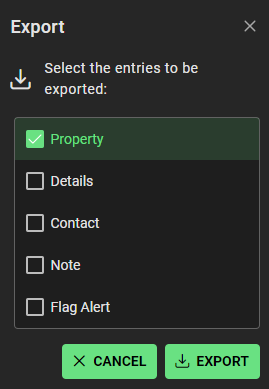
Export
- Click Export button(top right)
- Select the entries to be exported through pop up window
- Click Export
- Information will be exported to Spreadsheets to your device default folder for downloads
Search
Search by keywords, partials alphabetical or numerical characters with properties
+ Create New
Add new property details to SpyderFlow – see Properties | Create New Property
View By
View by Company, Client depending on your SpyderFlow system configuration