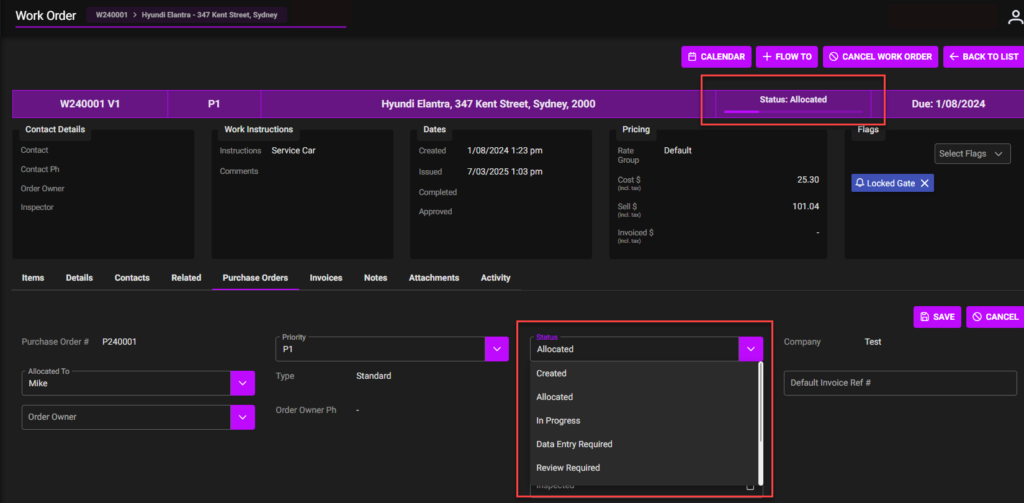
The status of purchase orders, as they are directly linked to work orders, follows whatever the state of the work order they relate to currently is.
These are the status for the purchase order: –
- Purchase Order Created – initial Purchase Order created
- Purchase Order Allocated – contractors/ employees how been notified of the approved work to be completed
- Purchase Order in Progress – the work order has commenced and the work is underway by the identified subcontractors/ employees
- Purchase Order review required – a request for a review of the work order that can happen at any stage to a work order
- Purchase Order Reviewed and Approved – the work is completed, and purchase order is closed
- Purchase Order Paused – the process / work has been put on hold
- Purchase Order Cancelled – the process has ended without any work being completed
Status: Allocated screenshot below
- Contractors/ Employees how been notified of the approved work to be completed
- Status can change as the order progresses or can be changed through “Edit”. If change through edit, check and click ‘Save’ when complete.