SpyderFlow enables your asset management to be efficient, focused and effective
With user-designed processes and streamlined interfaces SpyderFlow removes administrative burden from your team to enable them to maximise your customer’s experience.
- SpyderFlow can manage any asset irrespective of size (property, vehicle, plant & equipment).
- The keys: Assets and Properties are anchored to workflows. Create and manage visual connections between Assets by uploading images and adding markers that can be linked to related assets.
- Application-Level Filter to filter and view SpyderFlow data by Client(s) and/or Company(ies).
- Auto-Set Work Order Inspected Date. The first time an item on a Work Order is ticked or crossed SpyderFlow will automatically set the ‘Inspected Date’ value for the Work Order.
- Click-to-View Dashboard Data allows users to select certain values shown in most Dashboard widgets
- The Service Request Module is a streamlined solution for submitting, managing, and tracking external requests or issues.
- Schedule with ease with different web views, plan and use automated reminders. The Calendar is a centralised solution for organising events and coordinating work activities available on both web and mobile app with SpyderFlow.
- Load work items and reutilise through the SpyderFlow system without recreating for every job. The capability to schedule the automatic creation of Orders.
- Rate Groups to support multiple sets of rates that can be applied to Items.
- Generate and Print QR Codes for managing and tracking assets.
- API integrate with other system APIs to talk to SpyderFlow directly. Connect to applications like Xero for automated invoice integration to enhance financial processes by simplifying invoicing, payment processing, and reporting, ensuring data consistency and compliance.
- Sort/Filter/Entries per Page Settings.
- Multi-Option Bulk Action (MOBA).
- My Profile Module and App Sign Out.
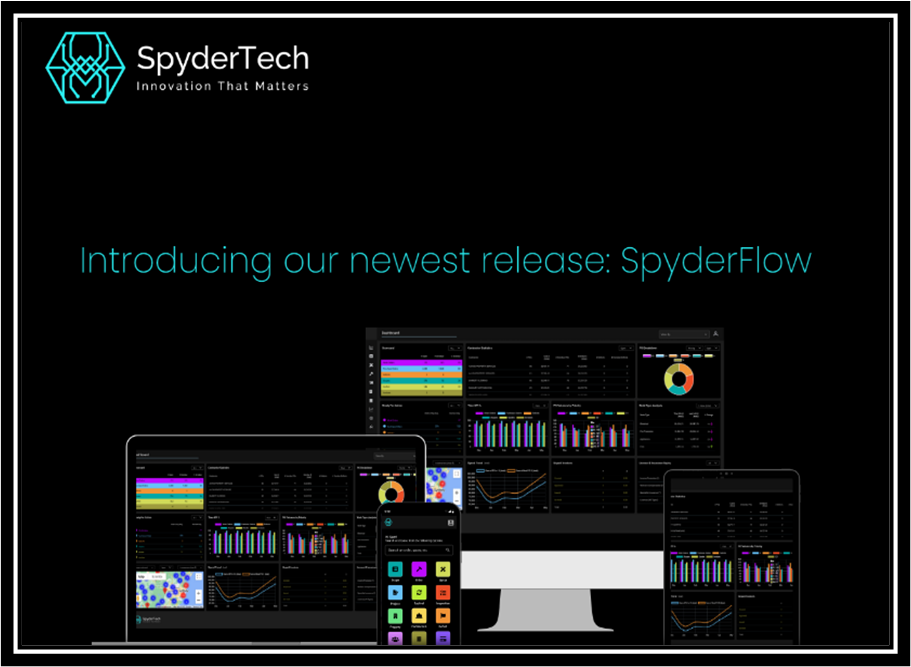
Compatibility with Devices
- Device compatible with desktop and portable devices.
- Web browser, Android and IOS App compatible.
Security and Access
SpyderFlow provides a strong security system that ensures users only access the information and tools they need based on their role in the organisation.
This security is managed through Role-Based Access Control (RBAC) and Record-Level Security (RLS), which together help control access to data and system functions.
- RBAC assigns permissions to users based on their role in the organisation. Users only see the information they need for their role, improving efficiency and reducing security risks.
- RLS provides an extra layer of security by restricting access to specific records, such as assets, work orders, or reports, based on user groups.
- While RBAC controls what system functions users can access, RLS ensures that only the right people can view certain records.
It is important to remember that RBAC controls provide access based on job roles, while RLS restricts access to specific records.
This approach not only protects sensitive information but also enhances operational efficiency by ensuring that users have the right level of access to perform their roles effectively.