The Subscriber settings contain information about your organisation (the subscriber) to SpyderFlow.
This is located within the Account Admin menu and accessible by your System Administrator.
Access level: System Administrator
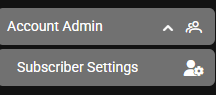
Go to: Main Menu –> Account Admin –> Settings –>Subscriber Settings
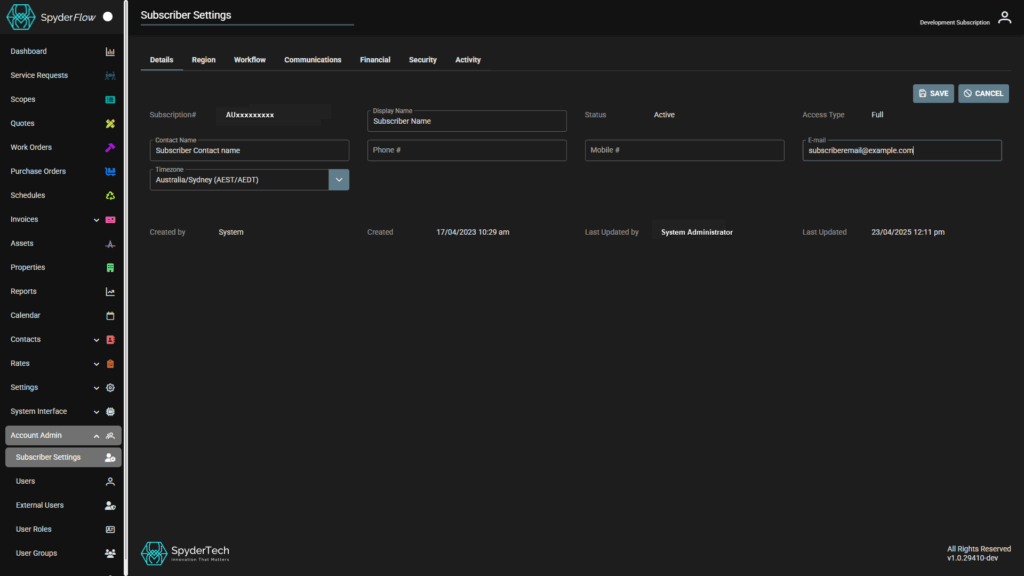
Subscriber Settings tabs include: Details, Region, Workflow, Communications, Financial, Activity.
Details Tab
Subscription# – SpyderFlow Subscription number. This cannot be edited or changed. System set.
Contact Name – Subscriber Contact Name
Timezone – Subscriber Standard Timezone for location.
- e.g. Australia/Sydney (AEST/AEDT) – Australian Eastern Standard Time (AEST) and Australian Eastern Daylight Saving Time (AEDT)
Created by – Who created the subscriber details. e.g. System (created by system set up). This cannot be edited or changed. System set.
Display Name – Subscriber display name
Phone # – Subscriber phone number
Created – Date/Time Subscriber details created. This cannot be edited or changed. System set.
Status – (Active if current subscription with SpyderFlow) – This cannot be edited or changed. System set.
Mobile # – Subscriber mobile phone number
Last Updated by – User who last updated subscriber details. System set each time update occurs/who did the update is recorded.
Access Type – Subscription to SpyderFlow. Full is complete SpyderFlow, not partial access etc. This cannot be edited or changed. System set.
E-mail – Subscription email address.
Last Updated – Date/Time details last updated and system recorded.
Edit/Save/Cancel
Click Edit (far right side) to change any details.
- Editable fields have drop down or text boxes to show what you are able to change.
Save when complete
Cancel if required