What is an Asset
Assets are important resources for your company that SpyderFlow workflows are based upon.
An Asset could be a motor vehicle, a contract, a building or many other resources to give economic value.
Each asset record shows the users of the system the work history giving a comprehensive view of all activity.
This means for an Asset you can
- Initiate, track and complete scopes, quotes, and work orders for required maintenance and construction,
- Invoice any customers for the work undertaken with appropriate payment terms,
- Attach and hold any attachments: photos, documents etc.
To Create an Asset
Assets are created through Main Menu –> Assets –> List of Assets –> +Create New
- Asset may have a parent (which could be property or asset), or it could be standalone.
- Assets must have an Asset name.
- Asset number will start with ‘A’
- If parent asset is a property it will start with ‘P’
- See link Assets | WEB | Create New
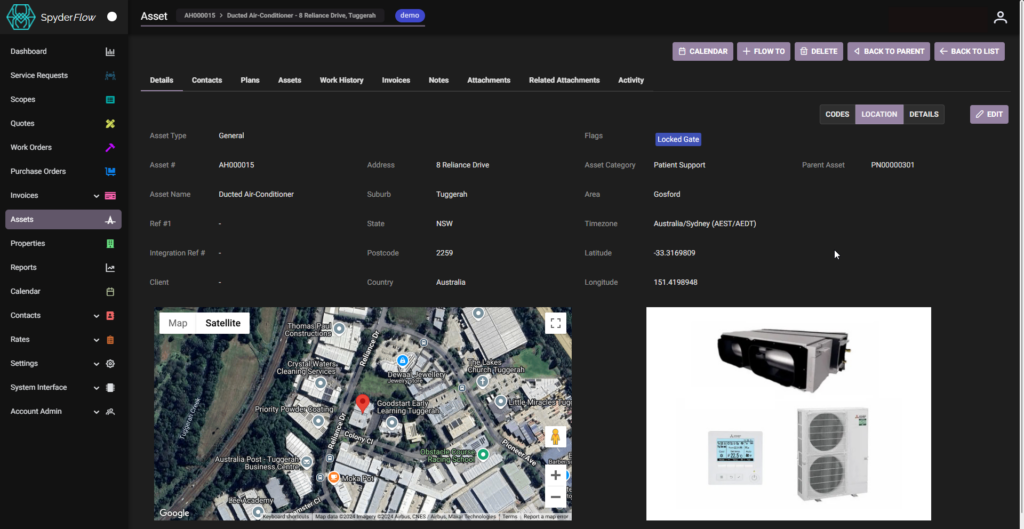
Example: Asset is Ducted Air Conditioner – see below in Location Tab view