Home
Solutions
SpyderFlow Sign in
SpyderFlow
Professional Services
Industries
NDIS and Aged Care
Technology
Support
Knowledge Base
About
Contact Us
What can we help you with ?
All Categories
Getting Started
SpyderFlow Mobile App Guide
FAQs
Troubleshooting Errors
The Dashboard
Service Requests
Scopes
Quotes
Work Orders
Purchase Orders
Schedules
Invoices
Assets
Properties
Calendar
Contacts
Clients
Contractors
Employees
Suppliers
Rates
Settings
System Interface
User Account Administration
Profile Subscription Settings
Subscriber Settings
Customisation | Columns
Custom Connection | Xero to SpyderFlow
Multi-Factor Authentication MFA
Release Notes
Reports
Account Admin
Companies
SpyderFlow Manuals
Home
SpyderFlow Knowledge Base
SpyderFlow Mobile App Guide
Mobile App | Codes | Scan
View Categories
Mobile App | Codes | Scan
Scan Codes
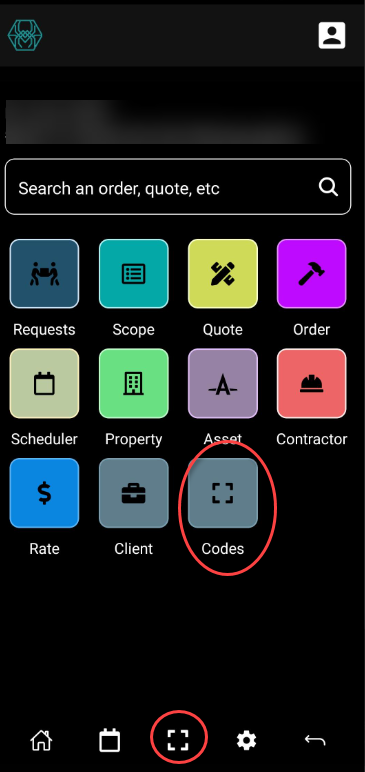
Scanning codes is easy with SpyderFlow Mobile App.
Codes icon is available and also code scanning on bottom screen toolbar.
Click to Scan.
Assets that are linked to code will display on your screen
Update details and Save when complete