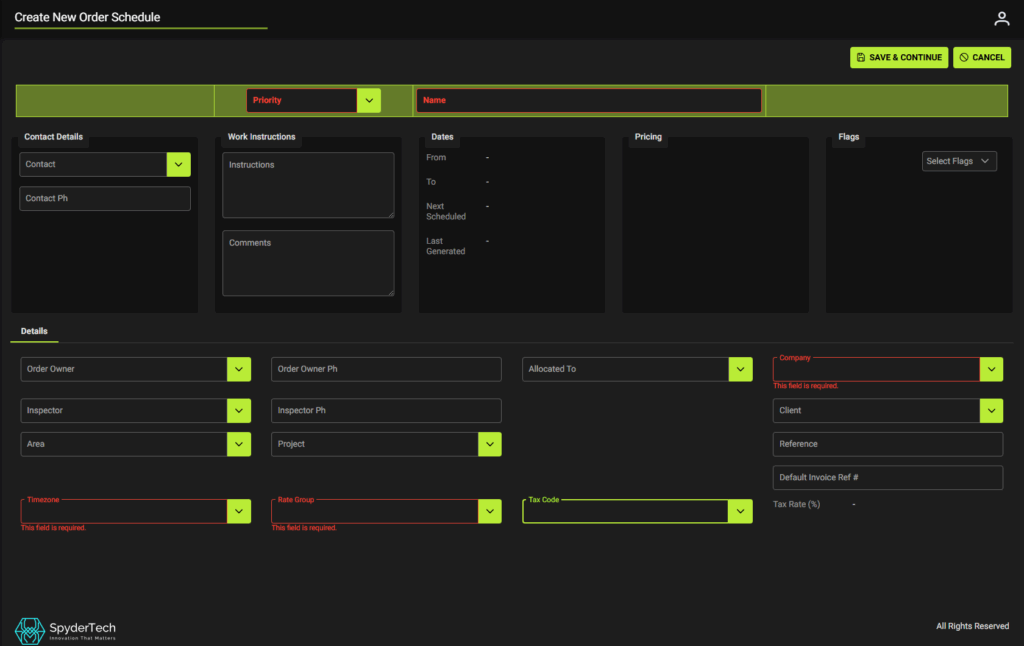
To create a new order schedule from the +Create New button
Main Menu –> Schedules –> List of Order Schedules –> Click + Create New
- Fill out Priority, Name, Time Zone
- Choose Company and Rate Group
- If you use default Rate Group – Choose this option.
- Add information to Contact Details, Work Instructions, Dates Pricing, Flags (as required)
- Continue with other fields to enter other information (Order Owner, Inspector, Area, Project, Client, Reference, Allocated To)
- Check Tax Code is set in Subscriber settings and matches if you set Tax Code in the Schedule.
- When complete click Save & Continue