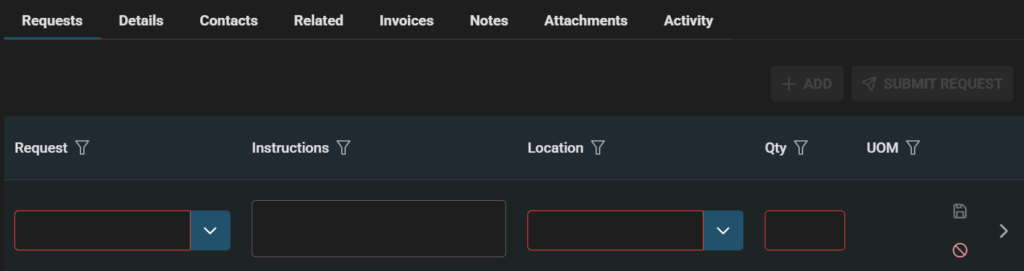
Once a Service Request is created details can be input to the Requests tab.
For example: Service Request details a caller phoned in that their ceiling fan is broken. They would like to arrange for the fan to be fixed in time for summer.
Requests Tab: Click +ADD and fill in details like below
- Requests: Fix Ceiling Fan
- Instructions: Remove and fix fan
- Location: Bedroom
- Quantity: 1
- Click Save (end of row icon becomes green when fields are complete)
- Or if no longer required click Cancel (end of row red circle icon)
Handy Hint!
- Click ‘>’ at end of row to get expanded Request add view
Note: If multiple Requests are added they are listed. Requests can be sorted and filtered.