Notes can be created in many Main menu areas of SpyderFlow:
- Services requests, Scopes, Quotes, Work Orders, Purchase Orders, Schedules, Assets, Properties, Contacts
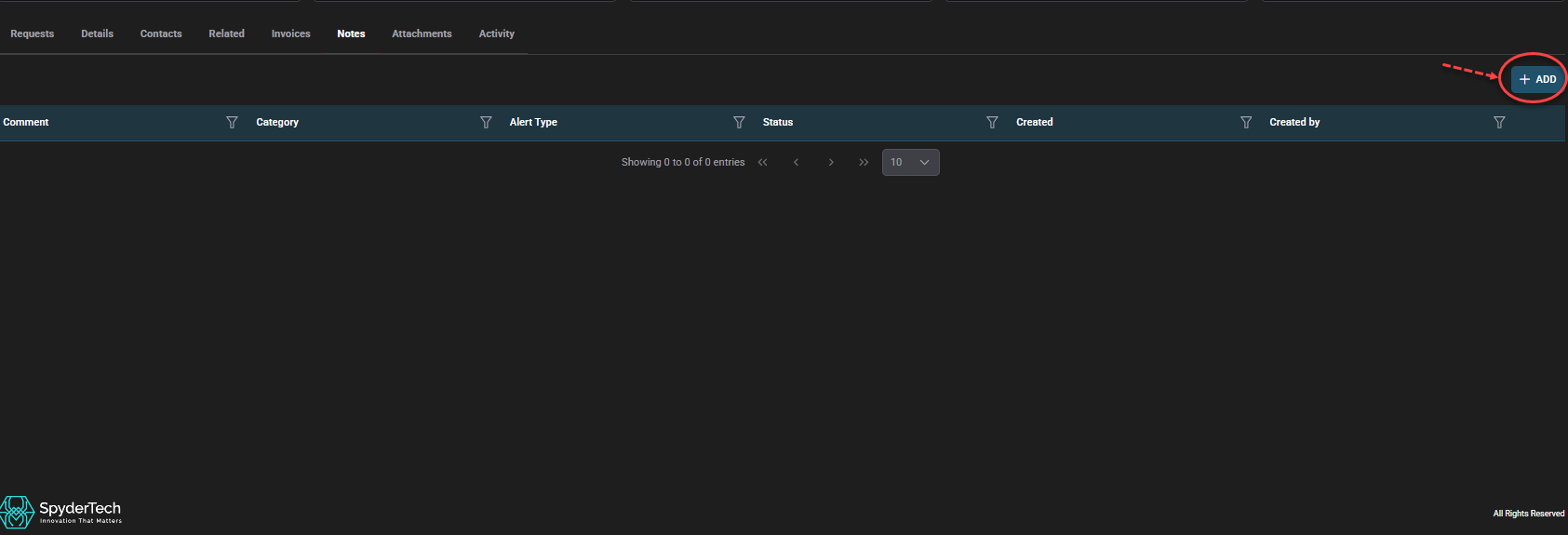
To add a Note:
- Notes Tab > +ADD
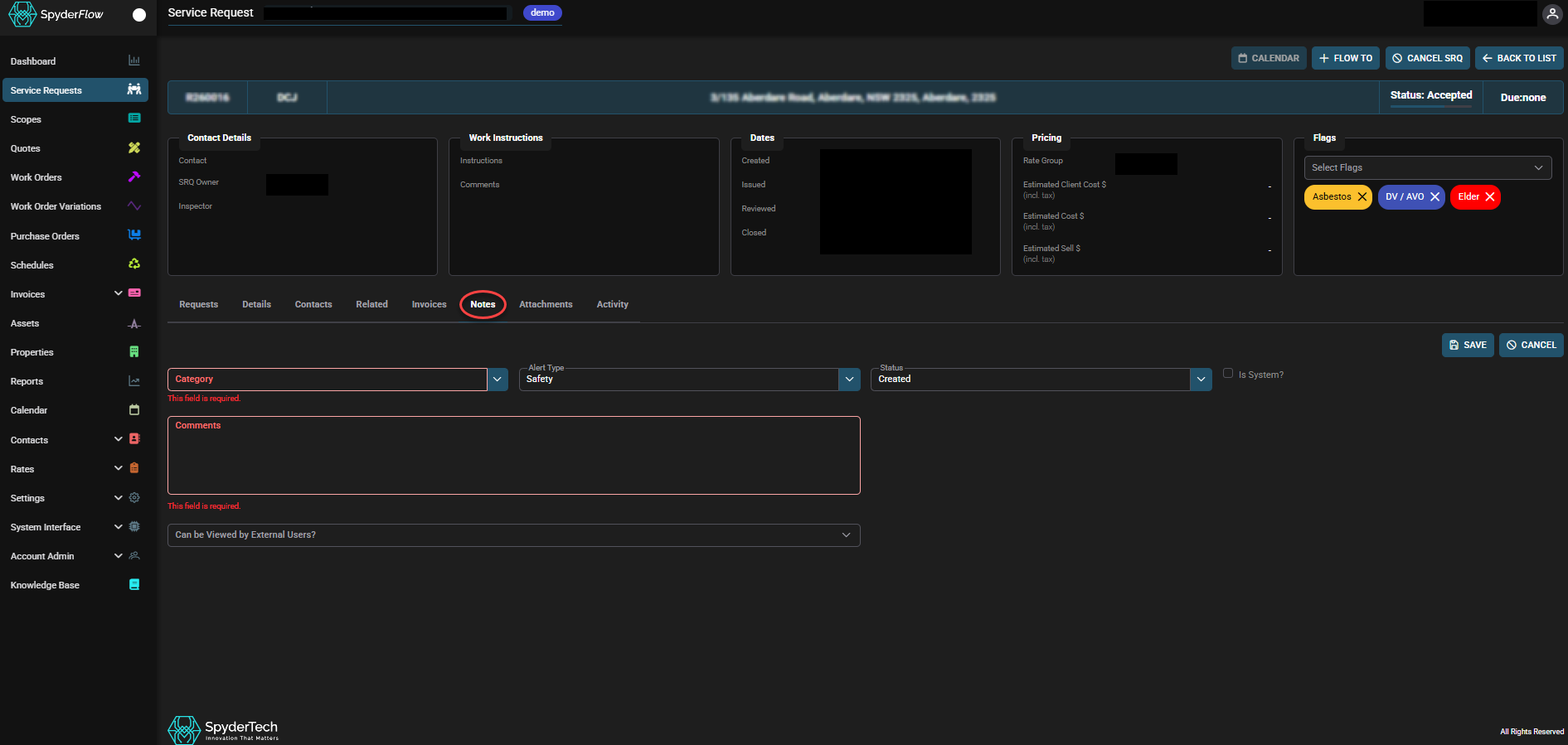
- Fill in details of Category, Alert Type, Comments as required. (Red are Mandatory fields)
- Status defaults to “Created”. Update status as per options below.
- Status Options:
- Created
- Rejected
- Review required
- Approved
- Status Options:
- Select “Can be Viewed by External Users” for information sharing of the note.
- External Users options are:
- Contractors
- Customers
- Clients
- External Users options are:
Coming Soon: Note Alerts!
Note Alerts improve visibility through a notes pop up if the notes alert type is selected see RELEASE 2026-3 – COMING SOON!