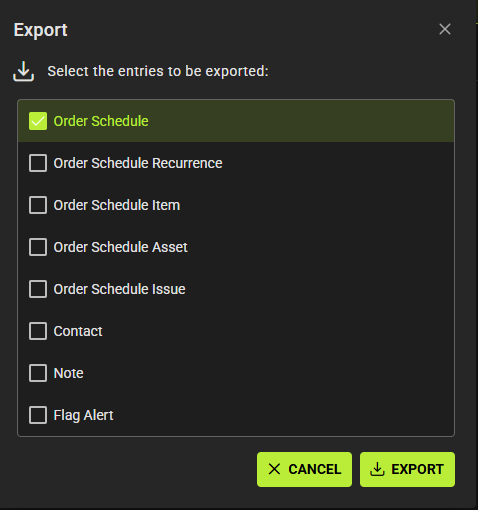
Exporting data from SpyderFlow can be easily accessible from many areas of SpyderFlow
Workflow data can be exported from ‘List of’ screens in workorders, scopes, quotes, schedules.
This will also increase to include Order Schedule exports and additional sheets to existing exports for shared components:
- Related Flow, Work History, Rate Groups, Work Orders, Purchase Orders, Interface Events and Calendar Events.
How to Export Data
Go to the area in SpyderFlow you would like to export data from.
- Click the Export button
- Select the entries to be exported. Each selected will be a Tab in your exported data spreadsheet
- Click Export
- Data export will be sent to your default download area on device in Excel format (doc.xlsx)