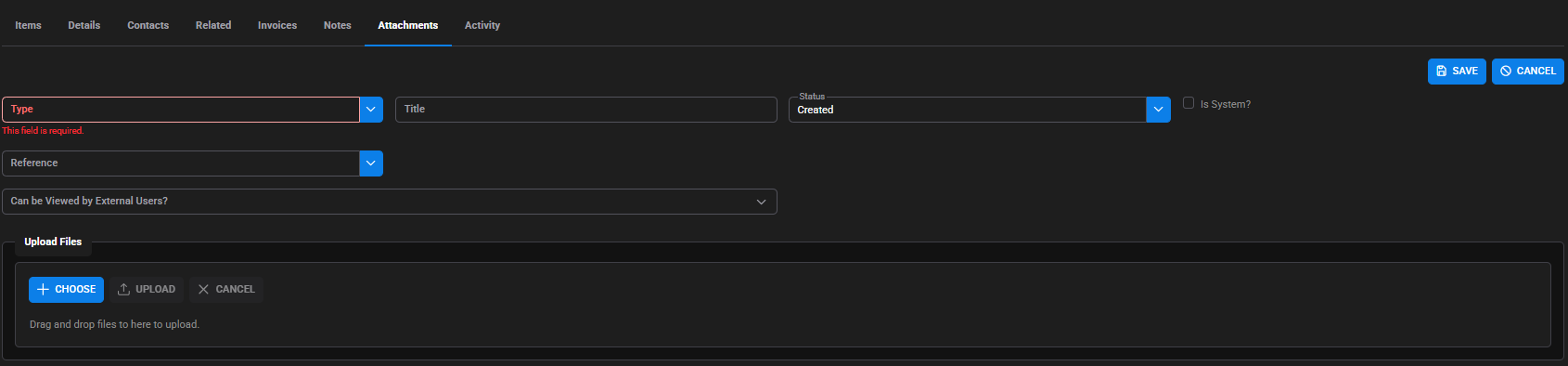
Attachments can be added throughout SpyderFlow. These can be documents, photos etc.
Can be added to by navigating to the Attachment Tab and selecting +ADD in:
- Service Requests
- Purchase and Work Orders
- Scopes
- Quotes
- Schedules
- Invoices
- Assets
- Properties
- Contacts
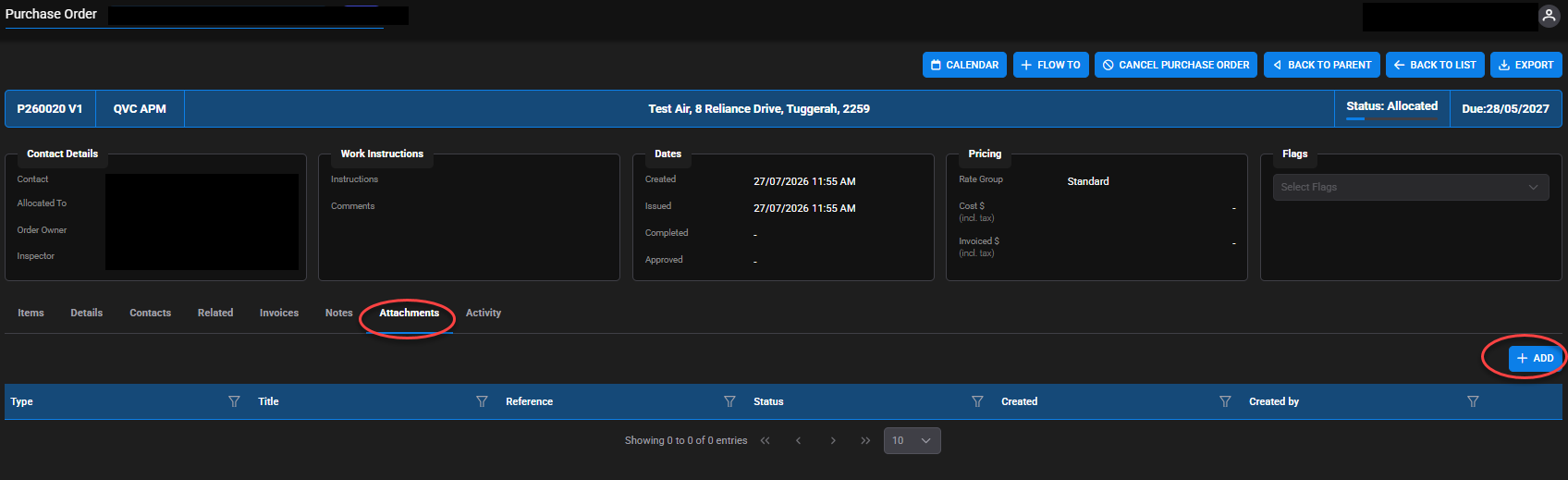
After +ADD then fill in details of the attachment including:
- Choose Type of attachment from drop down options set up for your company
- Title – Type the Title (Name) of the attachment
- Status – Starts as Created. Can then set to Review Required (if others need to Review) or Approved if no review is required.
- Reference – Select from your company drop down of options
- Can be Viewed by External Users? – Select if need Clients, Contractors to also be able to view the attachment
Upload files
- +CHOOSE – Find your file, picture and select it
- UPLOAD – Upload the file, picture and upload
- Alternatively can drag and drop files into area as instructed under these options
- SAVE – When complete