Coming Soon! Threads how to use easily and efficiently for communication.
Threads provide a shared conversation space where subscribers, clients and contractors can discuss a work related matter and manage posts a the party level for pinned, marking as read/unread
To Create a Thread
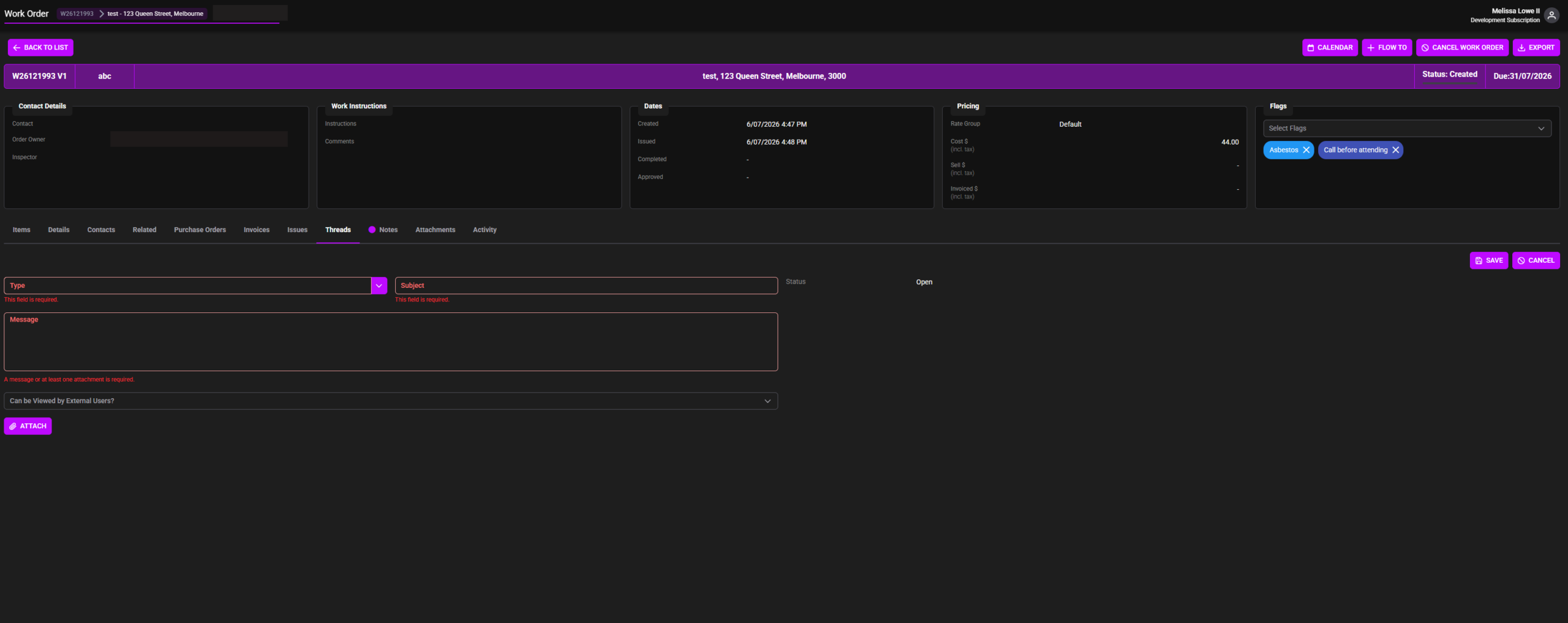
Open the record in where you would like the thread e.g. below is an example inside a work order
Select the Threads Tab and Click +NEW to add a thread
Fill in details:
- Select Type of thread
- Type a Subject that is relevant to your thread
- Message – Type in what the thread message includes
- Can be viewed by External Users? Select if you want the thread to be viewed by external users (Clients, Contractors)
- ATTACH – Click to add attachments to the thread
- SAVE – when ready to post your thread (when thread is first created).This changes to POST for updates, replies etc when the thread is open conversation
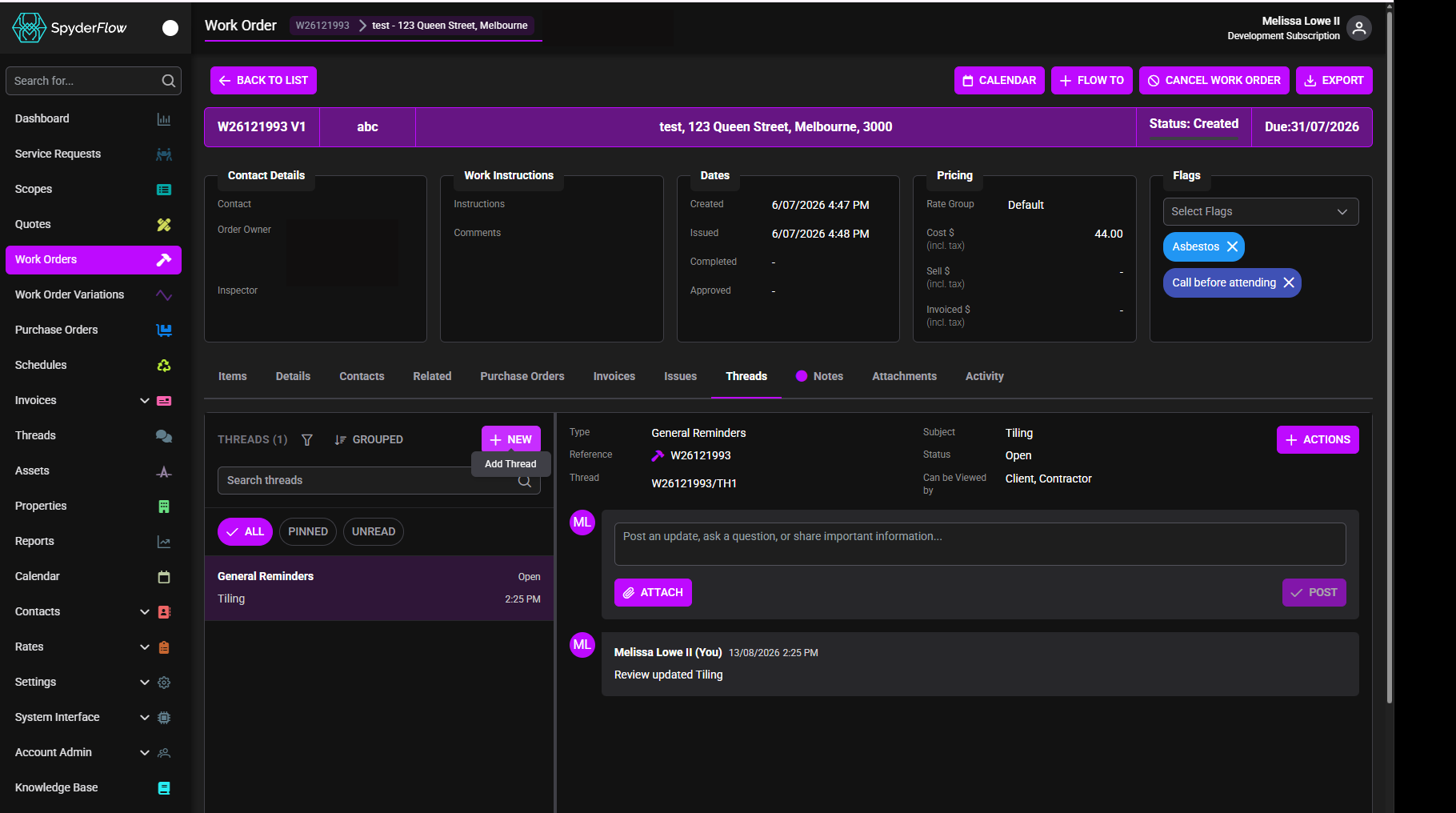
Thread Conversation
As updates, information share is in open thread click POST to communicate back and forth.
Who can use Threads?
- Subscribers
- Clients
- Contractors
Threads feature helps users
- Easily see real time activity and track what has occurred
- Identify new activity from other parties
- Mark conversations as read
- Keep important posts through pinned at the party level
- Manage the tread lifecycle efficiently
Users with Threads should be able to
- Participate in a thread by creating and replying to posts
- Quickly see when another party has added new content
- Mark posts, pin posts when they are reviewed or caught up
- Pin important posts for their own party users
- Support real work work flow in conversational content sharing.
Available on both WEB and Mobile
Related Link: RELEASE 2026-4: COMING SOON!