Create Notes for your Work Orders
- Main Menu > Work Orders > Select the Work Order to add a note to
- Notes Tab > +ADD
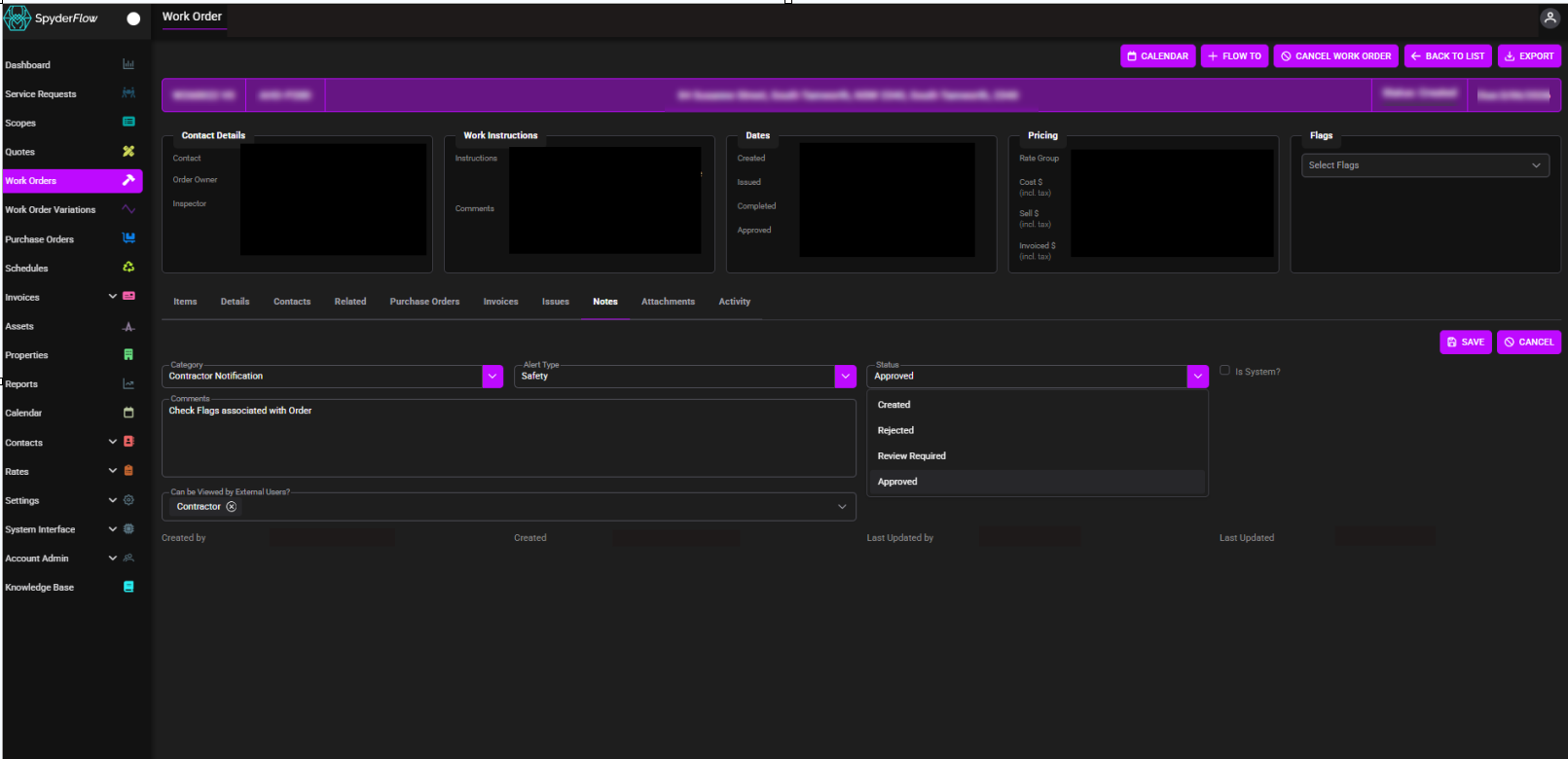
- Fill in details of Category, Alert Type, Comments as required. (Red are Mandatory fields)
- Status defaults to “Created”. Update status as per options below.
- Status Options:
- Created
- Rejected
- Review required
- Approved
- Status Options:
- Select “Can be Viewed by External Users” for information sharing of the note.
- External Users options are:
- Contractors
- Customers
- Clients
- External Users options are:
Notes Alerts: Alert notes will now display automatically when a record is opened, bringing critical information to the user’s attention at the right time.
- Coming soon – see below