As part of our ongoing service improvement program, we are introducing a Watermarked Photo feature in SpyderFlow to strengthen quality assurance, job traceability, and reporting confidence.
Watermark on Photos taken by Camera inside SpyderFlow
Photos captured using the Camera option in SpyderFlow will automatically include a watermark containing:
- Date
- Time
- Job Details (Order Number and Address)
This provides clearer evidence records and helps support timely validation of completed work.
Feature will apply to Workflow areas:
-
- Scopes
- Quotes
- Work Orders
- Purchase Orders
- Variations
Not be available in other SpyderFlow areas (Assets, Contractor records etc).
Process for taking a photo with watermark
Open SpyderFlow and Select area photo is required to be uploaded to: Scopes, Quotes, Orders.
Create the attachment Mobile App | Attachments
- Open your created attachment folder
- Click (+) button on Photos page
- Choose camera option to Take a new photo from the options of: Take a new photo, Choose a photo, Choose a file.
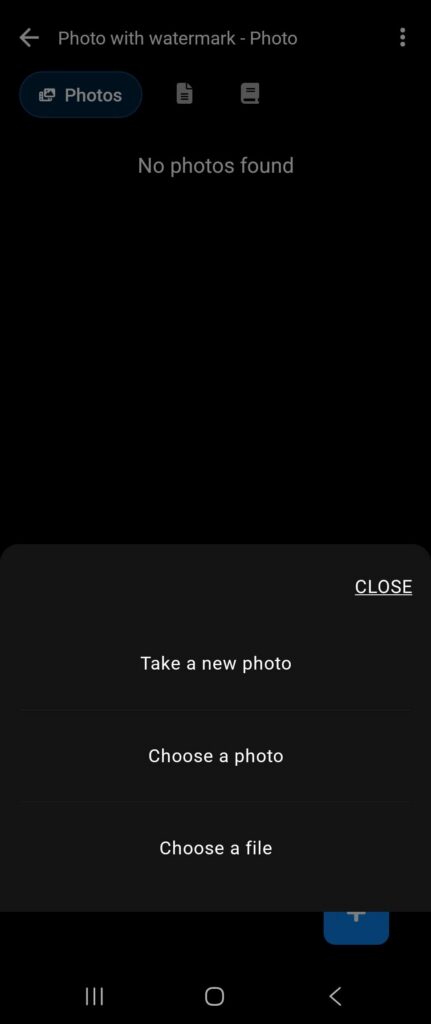
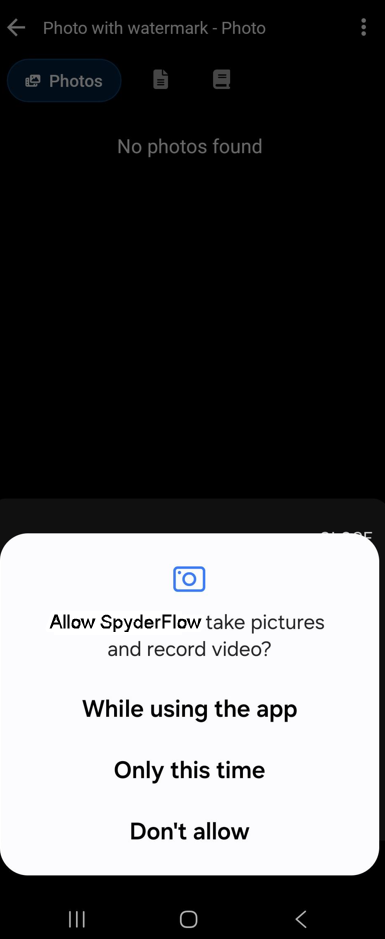
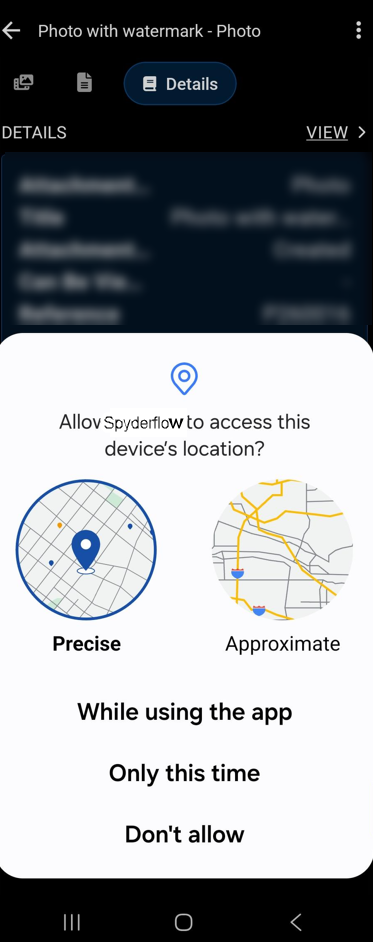
- Note! First time you will be asked to give access to the camera permissions on device.
- Camera > Take a photo > Allow Camera and Location permissions (examples below)
After allowing permissions
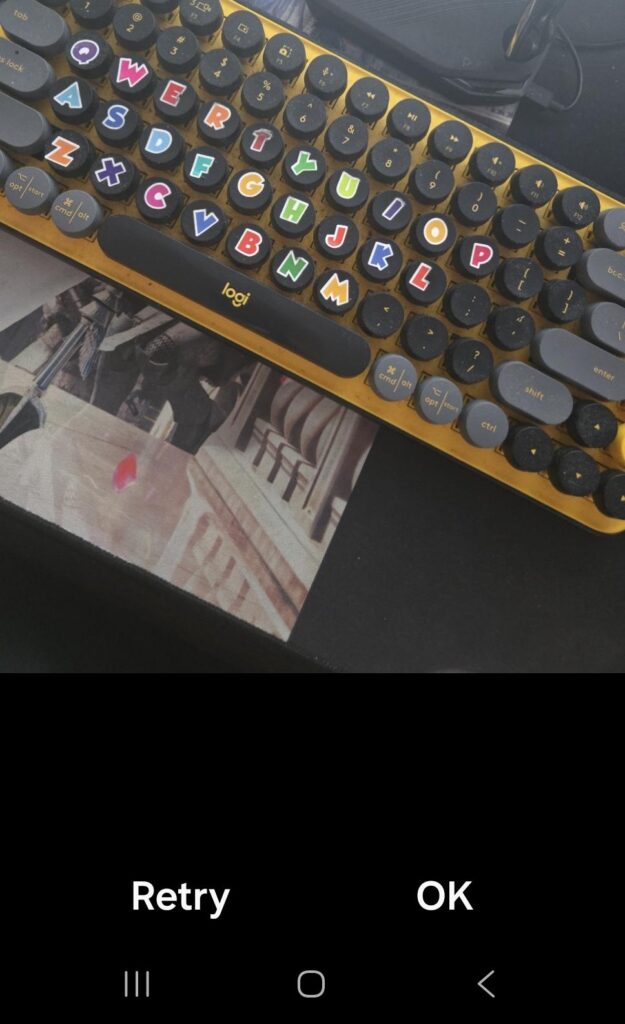
- Aim camera and take photo
- Options will display at bottom of photo: ‘Retry’ or ‘ok’
- Select ‘Ok’ if photo is clear and correct. Retry if you need to retake the photo.
Watermarked Photo is Created and in Attachments
- Message displays: ‘Watermarked photo created, but could not be saved to you Photos’ and ‘Clear’
- Select ‘Clear’
- Message displays: ‘Attachment File added’ and ‘Clear’
- The photo is saved
- When you reopen the photo, you will see the watermark with: Date, Time, Details incl Address.

Important to remember
Details of the watermark on photos when saved to attachments
- Includes: Date, Time, Job details (Order no, Address)
- Does not show when taking the photo (watermark is not live on the proposed image)
- Appears on the photo once taken and saved
Further information
- Images will not be saved to your photo gallery in your phone
- The watermark option will be available only for workflow sections: Scopes, Quotes, Work Orders, Purchase Orders, Variations.
- Watermark is not yet available for attachments in other areas of SpyderFlow including not available inside Contractors records.