Permission level required: Manager Role in SpyderFlow
Invited by: SpyderFlow Administrator or Manager
- Log into SpyderFlow Dashboard with Manager level permissions and go to –> Main Menu
- Scroll down to Account Admin then Select Users
- Opens into: List of Users Landing Page
List of Users Landing Page
- The list of users will show by Username, Display Name, Email, Phone, Mobile, User Role and Status.
- If new user is not on list, you as the administrator will invite the User.
- Click +Invite button (located top right).

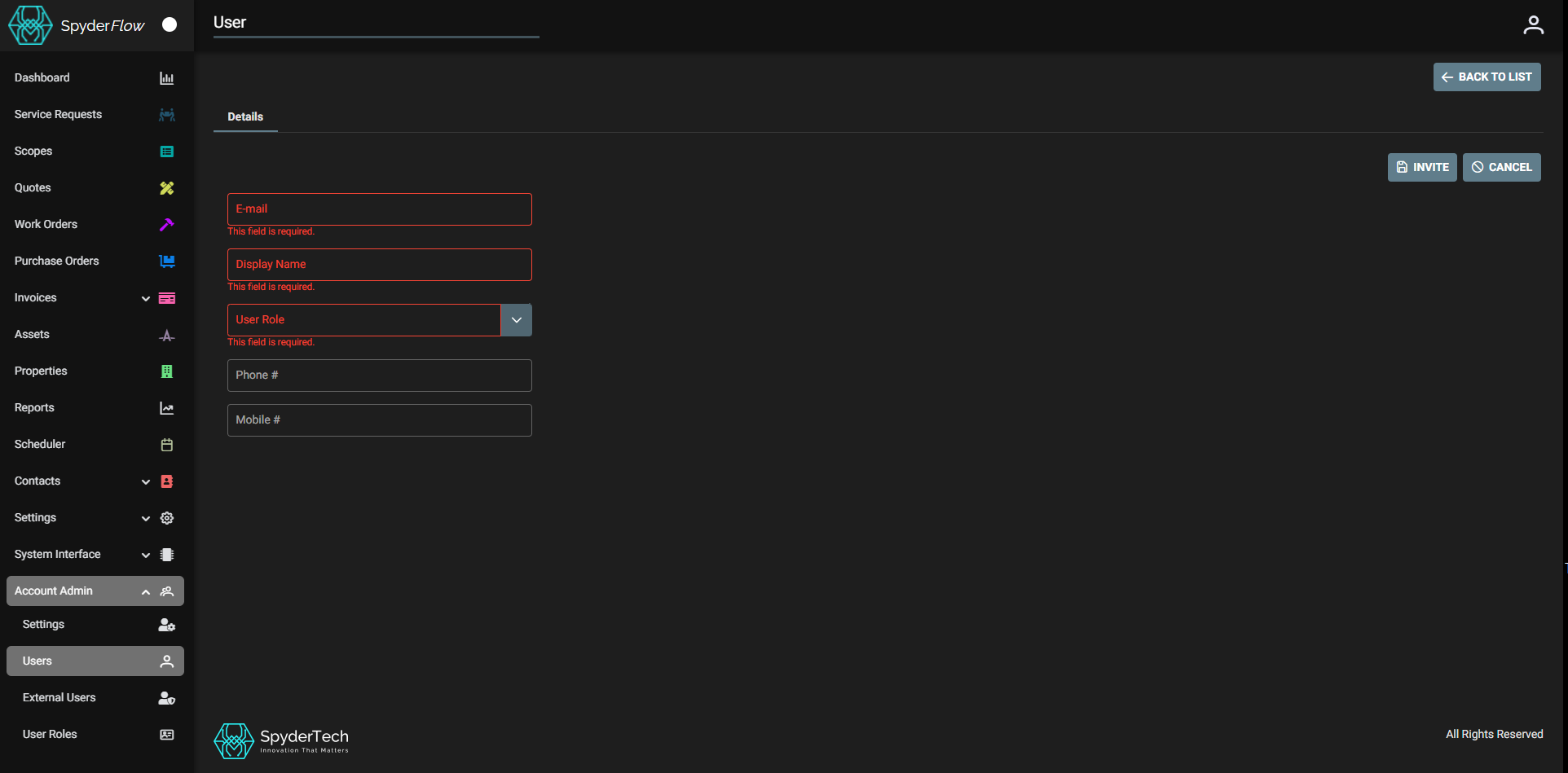
Invite a New User
- Fill out New User details:
- E-mail, Display Name, User Role are highlighted red (Mandatory fields to fill out).
- Phone # and Mobile # are Optional fields.
- Click Invite (Notice the Invite button now has a save icon). An email invitation will be sent to new user email address.
- By default, you should be sent back to the Users List Landing Page or click ‘Back to List.’
- Continue steps 4 to 8 for more users to be invited.
- Click back to Main Menu when user invitations are complete.