List of Property Assets
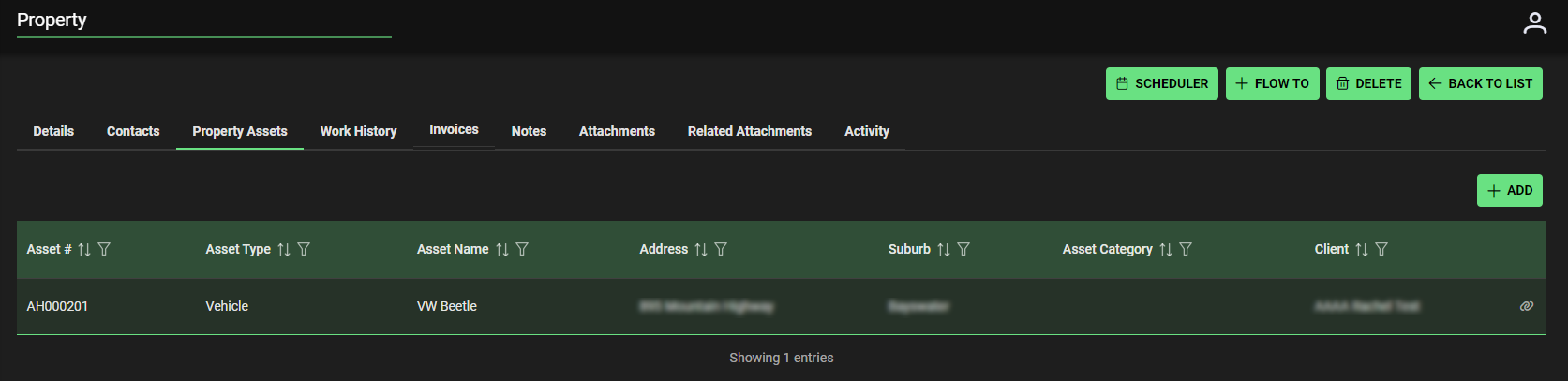
Once Assets are added they create a list on Property Assets tab. This list can be sorted and filtered for information by:
- Asset
- Assets Type
- Asset Name
- Address
- Suburb
- Asset Category
- Client
Property Assets | Add Information
Click +ADD to add property asset information

+ADD – Create New Asset Page Opens – see link Asset | Create New Asset
Once Asset is created:
Return to Properties –> List of properties –> Select Property you added Asset to –> Property Assets tab to view details
- Details will include Asset number and details. Click icon right side of asset to view, edit Asset details, access codes associated with Asset.
Alternatively, access details through Main Menu –> Assets — Asset Landing Page with Asset #
- View, edit or modify with further information. Codes are added in Asset details view.