Who will set up your SpyderFlow?
- To invite users, set configurations and maintain the SpyderFlow system you need to allocate System Administrator permissions to a User (Staff member).
-
- The System Administrator will be a point of contact for set up, maintain, update your system.
- Manager Roles can also be allocated for high level access to work with the System Administrator.
- User Account Administration | Subscriber User Roles
-
Subscriber users (internal employees)
-
- Subscriber users are usually also know as Internal users to your company SpyderFlow.
- Managers can work with the System Administrator on user role permission requirements and send invitations accordingly to their designated email address.
- Users will sign up either by Email, Microsoft, Google or Apple.
- Email is inclusive of username and password.
- Other methods are by Single Sign In (SSO). If SSO is used then your employees may also use this method for other software and services hence have some familiarity with the process.
- Once signed in by one of these methods this is how a user will continue. So if by SSO please choose this method on initial sign up to SpyderFlow.

External Users (contractors, other users)
-
-
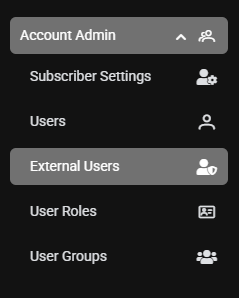
- External users can also be invited by System Administrator and in co-ordination with Managers.
- The invitation is sent to the external user and they sign up with a restricted view to your SpyderFlow.
- An external user will access information relevant to their role with your company.
- External Users | Invite to Your SpyderFlow System
-